
Blog
Deep Dive Into Your HRV Practice: Introducing the Yudemon Web Dashboard
Max Frenzel, PhD · 20 October 2025 · 5 min read
Getting Started
If you already have a Yudemon account with cloud sync enabled, you’re ready to go. Just visit app.yudemon.com and log in with the same credentials you use in the iOS app.
If you haven’t created an account yet or haven’t enabled cloud sync, you’ll need to do that first in the mobile app (Account menu → Cloud Sync). The dashboard reads directly from your synced cloud data, so whatever you’ve enabled for sync is what you’ll see on the web.
You might have already noticed the new “Dashboard” button in the main menu of the latest iOS app version – it takes you directly to the web dashboard for seamless access from your phone.
One quick note before we dive in: The web dashboard is fully functional on both desktop and mobile browsers and optimized for both. But I recommend using a desktop or tablet for deeper explorations. There’s a lot of data to visualize, and the larger screen real estate really lets the charts and analyses breathe. That said, everything is fully responsive (and I’ve included screenshots from both desktop and mobile below), so checking your stats on mobile works great too.
Overview: Your Practice at a Glance
The Overview page is your dashboard home – a high-level snapshot of everything that matters about your HRV practice.
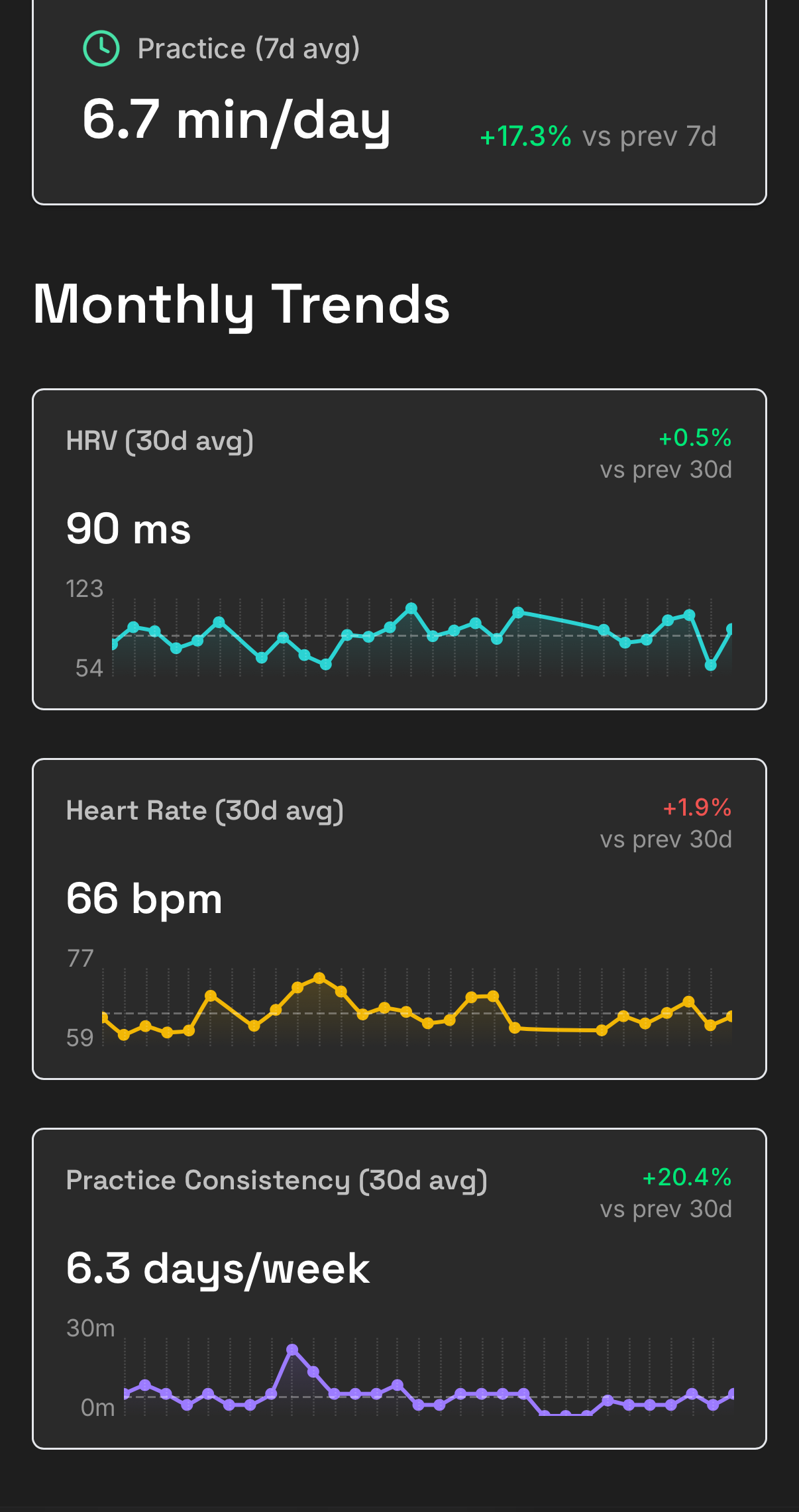
Overview page on mobile with Monthly Trends
The page is structured around a simple question: How am I doing?
Right Now gives you the immediate status: your current practice streak, when you last practiced, and how many days this week you’ve logged sessions. It’s the kind of at-a-glance information that helps you stay motivated and accountable.
Weekly Trends shows 7-day averages for HRV, heart rate, and practice volume, each with a comparison to the previous 7 days. Green percentages mean improvement, red means a dip.
Monthly Trends expands the view to 30 days, displaying small sparkline charts alongside the current averages. These tiny graphs pack a lot of information: you can see at a glance whether your HRV is trending up, your heart rate is stable, or your practice consistency is improving.
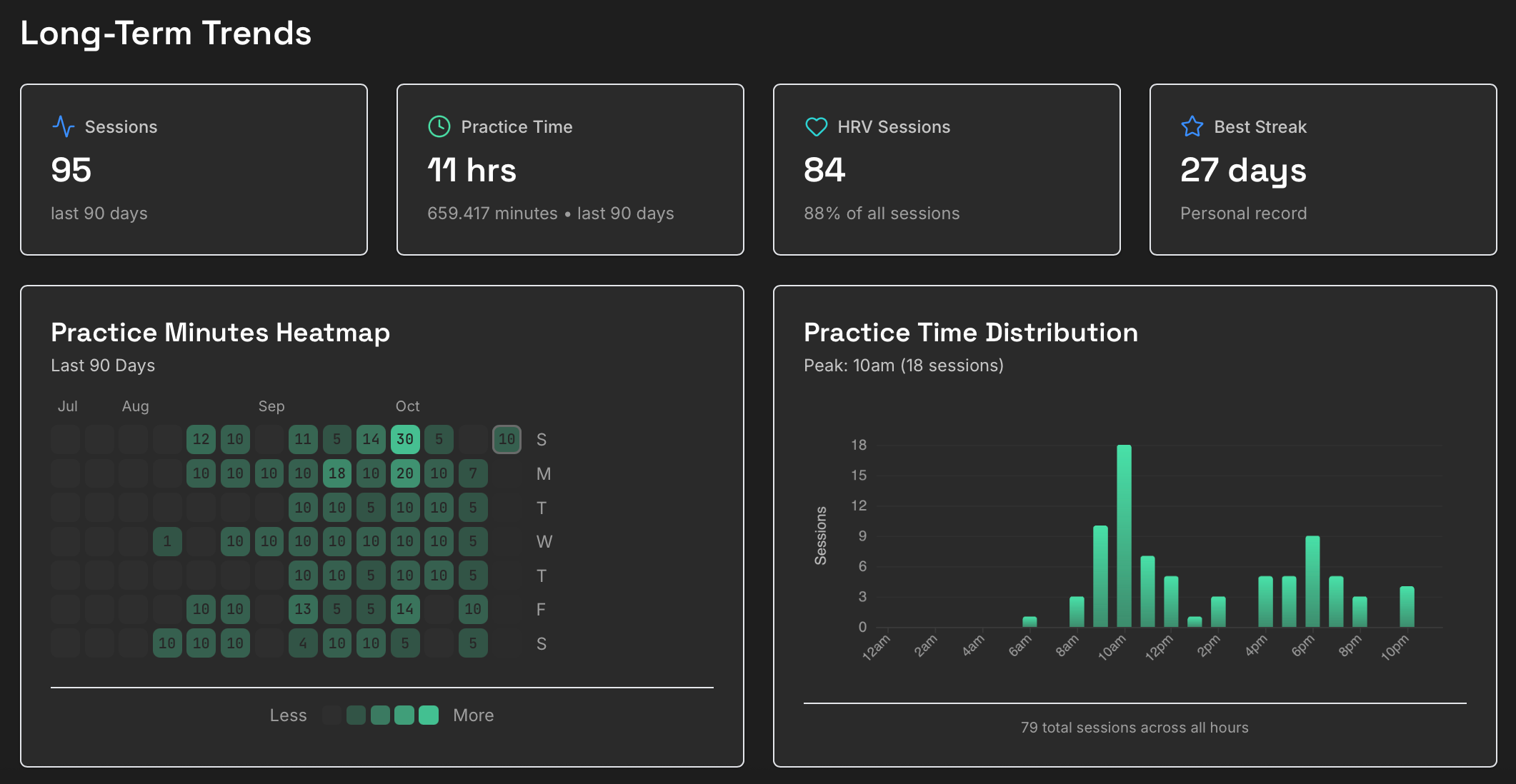
Long-Term Trends view on Overview page
Long-Term Trends pulls back even further, showing totals and milestones from the last 90 days. The practice heatmap – inspired by GitHub’s contribution graph – is probably familiar to any software engineer but might need some explanation for others. It shows a calendar-style grid where each day is colored by how many minutes you practiced – the more the practice time, the deeper the color. It makes patterns immediately visible: gaps in practice, streaks of consistency, periods of intense commitment.
A time-of-day histogram reveals when you typically practice – are you a morning person? An evening practitioner?
All of these sections update in real-time as you sync new sessions from the mobile app (with a few seconds for processing time), so your Overview page – as well as the rest of the Dashboard – is always up to date.
Analytics: Four Ways to Explore Your Data
The Analytics section is where the real depth lives. It’s organized into four tabs – Sessions, Trends, Insights, and Journey – each offering a different lens on your practice.
Sessions: Every Breath, Every Beat
The Sessions page is your complete practice history. It shows every session you’ve synced to the cloud, organized in a sortable, filterable table.
Account: Manage Everything in One Place
The Account page brings together all the administrative aspects of using Yudemon: your profile, subscription status, data export, and account settings.
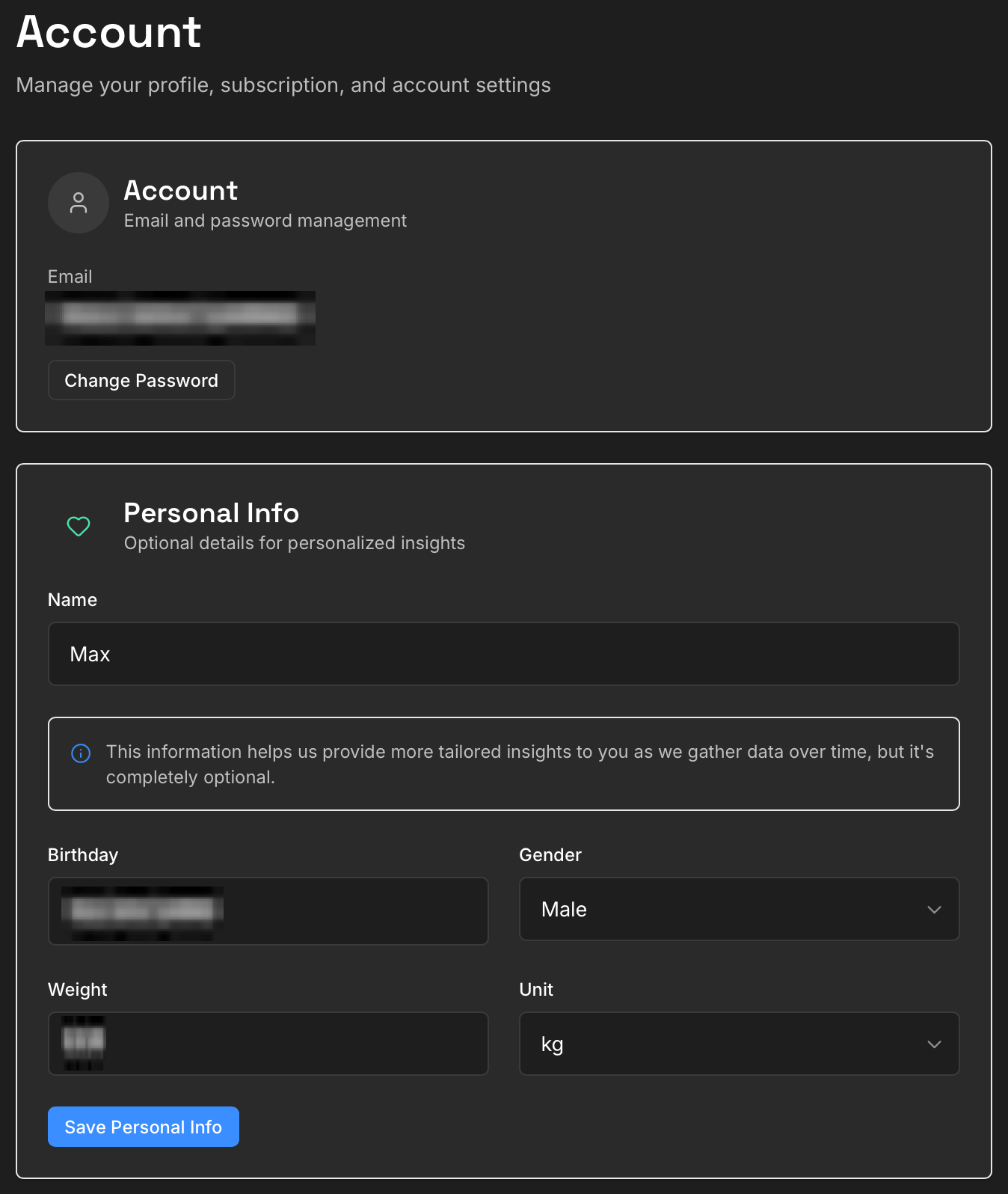
Top of Account page
Subscription Management is fully cross-platform. If you’re a Pro subscriber, you’ll see your subscription status, renewal date, and which platform it’s from (iOS or Web). If you subscribed through the web, you can manage your billing through this site.
If you’re not yet a Pro subscriber, this is where you can upgrade. Pro features in the mobile app include unlimited Journey sessions, unique soundscapes, and full customizability. In the web dashboard you get full access to all advanced trend charts, deeper insights, complete options, and more detailed physiological breakdowns throughout the dashboard.
Data Export lets you download your complete practice history – all sessions, all statistics, all raw HRV data – in standard formats for your own analysis or record-keeping. This is part of Yudemon’s privacy-first approach: your data is yours, and you can take it with you at any time.
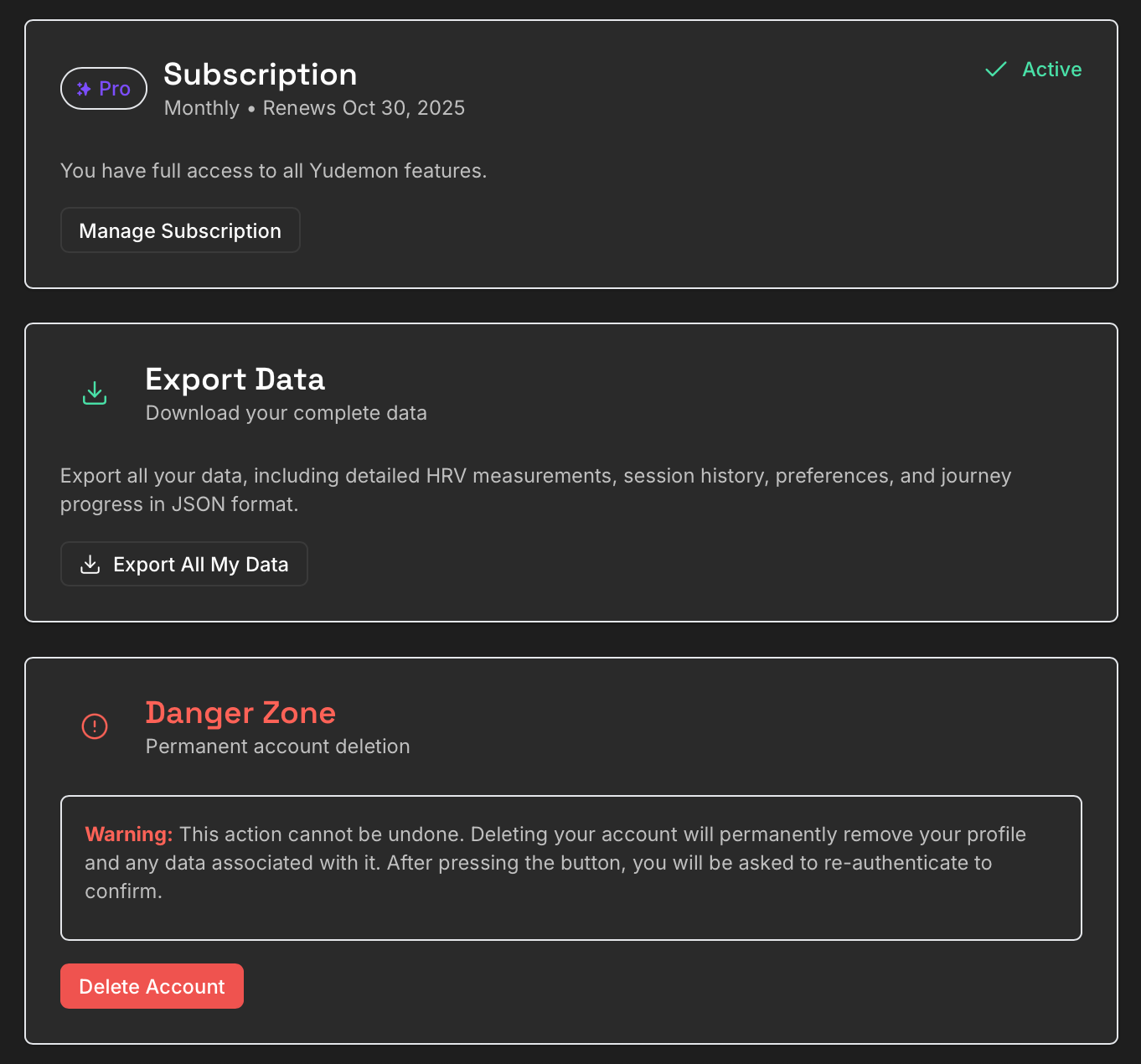
Subscription, Export, and Account Deletion sections
There’s also an account deletion option if you ever decide to leave. It’s permanent and irreversible (with multiple safety checks so there should be zero risk that you accidentally delete your account), but it’s there because you should always have full control over your data.
What This Means for Your Practice
The web dashboard doesn’t change how you practice HRV biofeedback – that still happens in the mobile app with real-time feedback during your sessions. What it changes is how you understand your practice – if you like to dive into the details (as I do).
Instead of seeing isolated sessions, you see your journey over time. Instead of guessing what works, you see the data. Instead of wondering if you’re improving, you see the trends.
For me personally, building this dashboard has deepened my own practice. This may be quite personal, but I love data and am very data-driven, and just being able to see everything in the dashboard has definitely made me practice more regularly and with more intention.
I hope it does the same for you, and over time also helps you understand your own practice better.
What’s Next
This dashboard is just the beginning. There are more features I want to add, more ways to slice and analyze the data, more insights to surface. I’d love to hear your feedback about what’s useful, what’s confusing, and what you’d like to see next.
And speaking of what’s next: I’m currently working on the most requested feature since Yudemon launched – an Android version of the mobile app. It’s a significant undertaking (the current iOS app uses some platform-specific audio technology that needs to be rebuilt), but I’m making good progress and hope to have it ready soon.
Until then, iOS users can continue enjoying the full experience, and now with the web dashboard, everyone has a window into their practice data regardless of platform.
Visit app.yudemon.com to explore your own data, or download Yudemon HRV for iOS to start your HRV biofeedback journey.
I wish you deep breaths and deeper insights.